
The <Inbox />for Agentic Coding
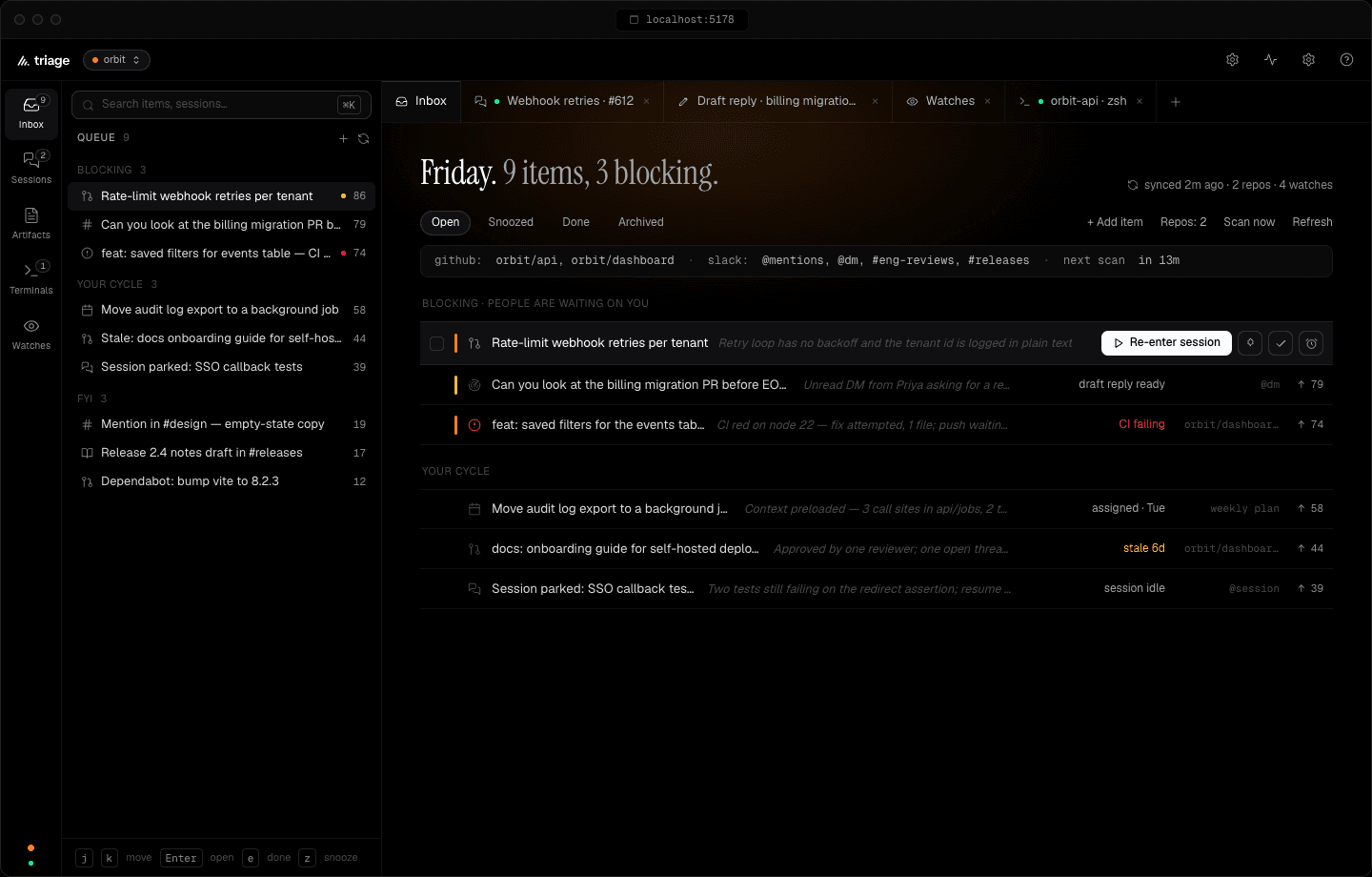
Your morning, shorter. Every review, mention and ticket waiting on you, ranked in one queue. Open the first one in Claude Code with the brief already written.
npm i -g @hey-triage/triageThen run triage. Your inbox opens in the browser.
Node 22.5+ · Your Claude Code login · No API key required
Fits the way your team already works.
Be the person who
unblocks the team.
A review in your DMs. A PR with people waiting. Your own change that needs another look. Bring it together and see where you can make a difference next.
A reason for what comes first.
Your review was requested on
Add backoff to webhook retries
“Could you take a look at the retries PR? We’re waiting on your review.”
Move exports to a background job
Example morning · You have the tools. You’re still assembling the picture.
A small retry loop.
A wider impact.
A failing endpoint can exhaust the worker pool and delay deliveries for other tenants.
The retry loop has no backoff between attempts.
Backoff bounds and the five-attempt limit.
Skip the
context rebuild.
You already know how to work with your agent. Triage brings the request, the risks, and the relevant context to the starting line.
- 01
Read the risks before the whole diff.
Ask for a brief to see what deserves your attention.
- 02
Start with the context attached.
Open your Claude Code in the right project, with a draft you can edit.
- 03
Make the next move yours.
Review the handoff. Press send when you’re ready.
Stay in the loop.
Stay in your flow.
Tell Triage what matters to you. Let a watch find the relevant requests and updates when it runs, so you can spend less time catching up.
“Find people waiting on my review in #engineering and my DMs. Bring me the request and enough context to act.”
Slack · through a watchBilling migration needs a second look
A teammate asked for your review before the rollout.
Webhook retries are ready for review
Linked to the PR already in your inbox.
General announcements and social chatter stay out.
You choose where it looks and when it runs. Preview the results before turning a watch on.
You stepped away.
Your context didn’t.
The work item, the brief, and the conversation stay together. Return to a session and pick up the thread.
The thread is still here.
Backoff added. Tests passed. Your review is the next step.
Your decisions.
Reviews stay drafts. Replies are yours to send. Pushes wait for approval.
Your familiar setup.
Your Claude Code login, skills, and connectors come with you.
Your spend, in sight.
See what runs cost. Set a daily brief cap. Choose which watches to enable.
I already use Claude Code. What does Triage add?
Triage helps with the work around coding: finding requests across your tools, seeing who is waiting, and gathering context before you start. You get one ranked inbox, optional briefs, and a prepared handoff into your own Claude Code session.
Can I try it without changing how my team works?
Yes. Your team can keep using its repositories, channels, and tickets. Triage is your personal work inbox; teammates do not need to install it. It runs on your machine, and there is no hosted or shared team inbox today.
What does it take to get started?
Install Triage, run triage, and choose your repositories. You need Node.js 22.5 or newer and Claude Code installed and logged in. GitHub uses your gh CLI login. Slack and Linear are optional, through watches using your Claude connectors. Watches are off until you enable them.
Will it send messages or change code without me?
Briefs and watches are read-only. Reviews are prepared for you to inspect, and replies are drafted for you to copy and send. You review the dispatch draft and press send to start a coding session; the session follows its permission settings. Pushes wait for your approval.
What will this cost me?
Triage is free and open source. Briefs, watches, and coding sessions use your existing Claude Code plan. Run costs are visible, and you can set a daily brief cap. You do not need a separate API key or a Triage subscription.
Does my work leave my machine?
Your inbox and session history are stored on your machine. Briefs, watches, and coding sessions still communicate with your configured Claude service and connected sources. Local storage does not mean offline processing.
Does it work with other coding agents?
Today, Triage works with Claude Code. Support for other coding agents is not available yet. Triage is early software, so expect rough edges and changes as it develops.
Your morning,
shorter.
Start with one repo. Find your next move. Make it a better morning.
npm i -g @hey-triage/triageThen run triage. Your inbox opens in the browser.